

Qdrant
Retrieval-augmented generation, or RAG, lets a model answer from your own documents instead of only what it learned in training. This helps models, trained on historical data, to stay grounded in recent information, or information which is not publicly accessible.
Qdrant is a vector database which stores embeddings, such as those generated by Qwen3-Embedding-8B, used to find the closest document matches to a question. It can do so based on their meanings, rather than only relying on matching keywords.
However, RAG has two parts and thus two potential points where it can fail or degrade. Building a successful pipeline means assessing both, as a confident answer based on false data can be problematic. A good way to make sure answers stay grounded is to evaluate retrieval on its own.
This example builds a simple evaluation harness for the retrieval stage. We apply an LLM-as-a-judge using the flex tier to grade the answers against a gold dataset, making the whole evaluation loop cost around a dollar.
How the pieces fit
Doubleword excels at batch inference and at serving long-running agents like those from the GLM, Kimi and DeepSeek families. This enables two modes: reason over everything in bulk at low cost, or precisely retrieve just when you need it.
The first mode captures every bit of context available in documents and unlocks bulk summarisation, extraction, and labelling without a high price tag. The second applies agents to a task which can fetch, reason over, and react to or act on the information retrieved via Qdrant in realtime.
Picture having thousands of messy transcripts from calls with customers. By generating embeddings you can enable an agent to dynamically find notes which are useful for your task, and use them to answer questions like "what models are popular and what models have been requested?" Notably, for this use case, it is also common to summarise the transcripts and generate embeddings for them in bulk in the 'cold path'. This can make them more accessible to an agent retrieving on the 'hot path', offering a concise summary rather than raw transcripts with lots of speakers.
Your application embeds text with Doubleword and writes the vectors to Qdrant. At query time it embeds the question and supplies those vectors to Qdrant to compare with its stored ones to find the nearest chunks. It sends those back to an agent running on Doubleword as context for an answer.
For our evaluation, a second model judges that answer against a gold answer and decides whether it was correct or not.
Designing the evaluation
The judge scores every answer from 0 to 1 on three axes. Faithfulness checks whether every claim in the answer is backed by the retrieved context, and an invented date or name is the most common way it fails. Groundedness checks whether the answer actually drew on that context instead of the model's own training, so a factually correct answer can still score badly here. Relevance is simpler. Did it answer the question that was asked?
DeepSeek-V4.1-Flash writes the questions and the answers, DeepSeek-V4-Pro judges them. Pro is comparatively much more expensive than V4.1-Flash. This was an illustrative example, but sizing the judging model to the complexity of the evaluation can help with handling cost. All Doubleword models feature an intelligence score from Artificial Analysis, which also publishes benchmarks for cost per task.
Prerequisites
You need Python 3.10 or newer, Docker Engine (to host Qdrant, see their github repo for details on other client options), and a Doubleword API key.
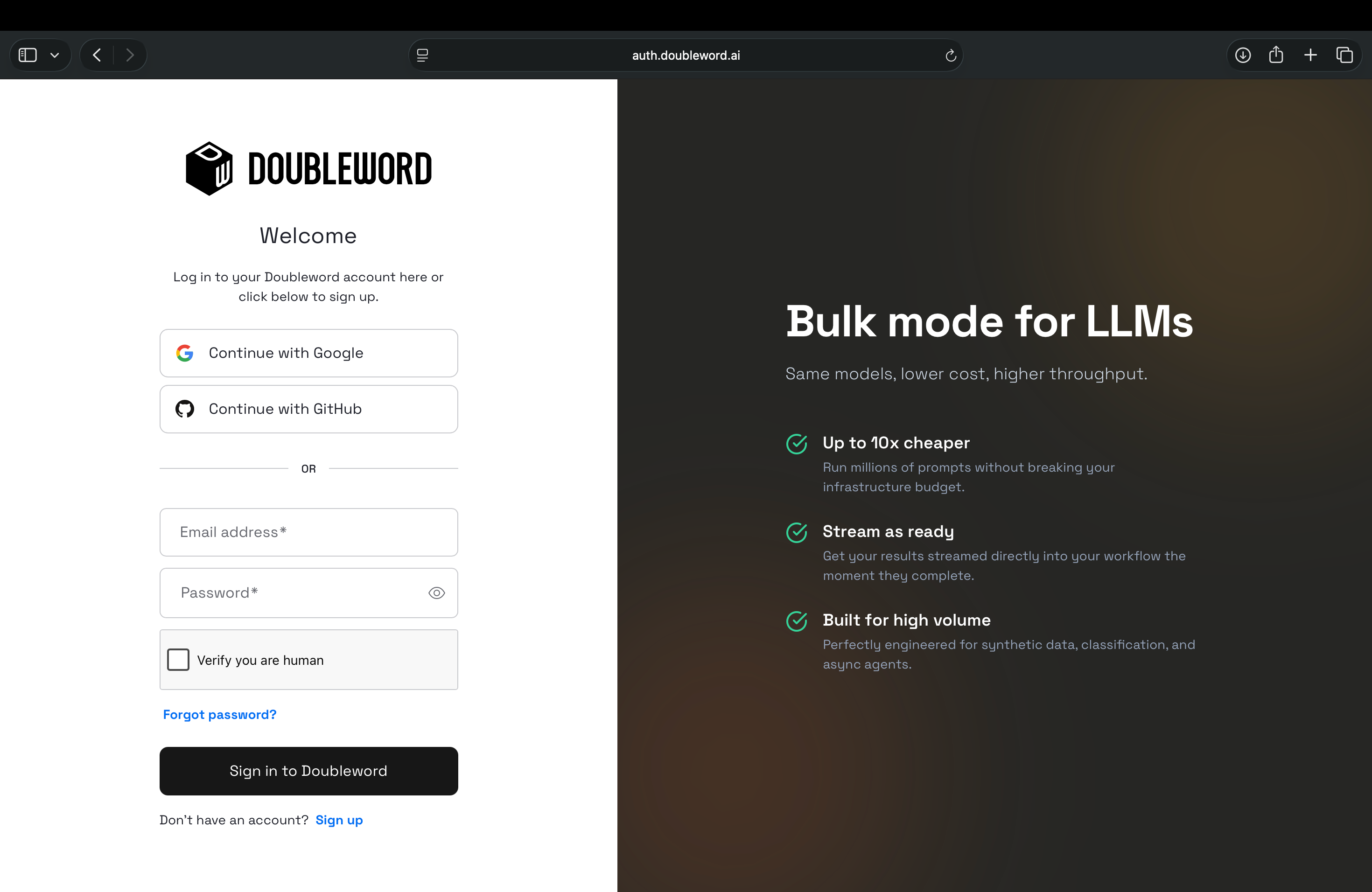
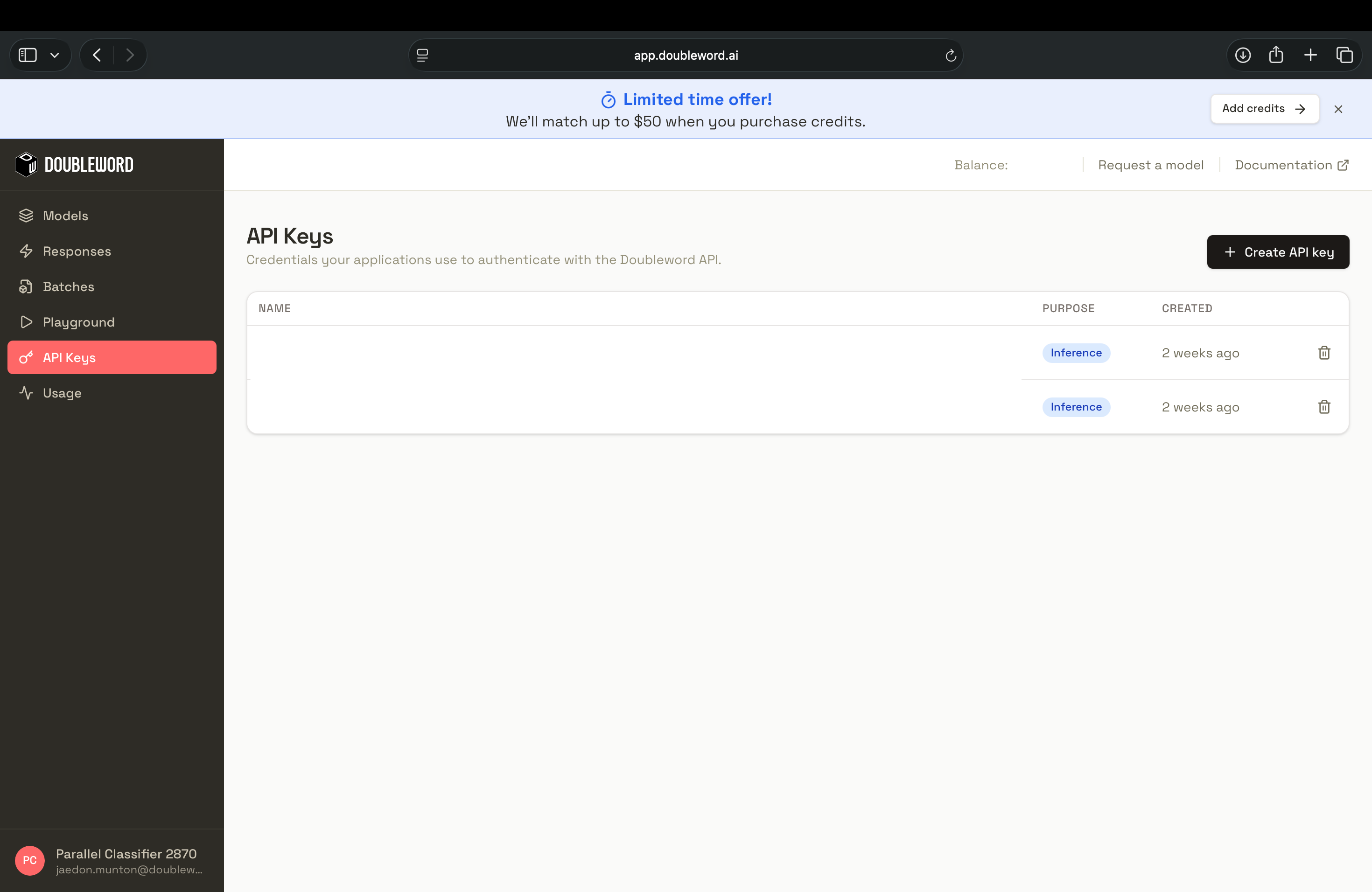
Sign in to the Doubleword Console, create a key under API Keys, and copy it, since it is only shown once.
export DOUBLEWORD_API_KEY="your-doubleword-key"Start Qdrant locally. The container holds the collection between runs, so indexing happens once.
docker run -p 6333:6333 -p 6334:6334 \
  -v "$(pwd)/qdrant_storage:/qdrant/storage" \
  qdrant/qdrant
Build the evaluation
Step 1: Install
pip install "qdrant-client>=1.19,<2" "openai>=2,<3" datasetsA warning on older tutorials. client.search() was removed in qdrant-client 1.16.0, and client.add() and client.query() were removed in 1.19.0. They raise AttributeError rather than a deprecation warning. Use query_points(), which returns its results on .points.
Step 2: Shared setup
Put the clients, model ids and chunking helper in common.py. Tier selection is what matters here. Judging runs on the flex tier, which bills at a discount and is where almost all the spend sits. Answering runs realtime, because not every model serves flex, and a model that does not will hang rather than fail fast. Check your own before committing to a long run.
import os

from openai import AsyncOpenAI
from qdrant_client import QdrantClient

EMBED_MODEL = "Qwen/Qwen3-Embedding-8B"
WRITE_MODEL = "deepseek-ai/DeepSeek-V4.1-Flash"
JUDGE_MODEL = "deepseek-ai/DeepSeek-V4-Pro"

COLLECTION = "wikipedia_eval"
VECTOR_SIZE = 1024
TOP_K = int(os.environ.get("TOP_K", "5"))

BASE_URL = "https://api.doubleword.ai/v1"
API_KEY = os.environ["DOUBLEWORD_API_KEY"]

WRITE_TIER = os.environ.get("WRITE_TIER") or None
JUDGE_TIER = os.environ.get("JUDGE_TIER") or "flex"

qdrant = QdrantClient(url="http://localhost:6333")


def tier(name):
    return {"service_tier": name} if name else {}


def client():
    return AsyncOpenAI(base_url=BASE_URL, api_key=API_KEY)


def embed_client():
    return AsyncOpenAI(base_url=BASE_URL, api_key=API_KEY)


async def embed(emb, texts):
    res = await emb.embeddings.create(
        model=EMBED_MODEL, input=texts, dimensions=VECTOR_SIZE
    )
    return [d.embedding for d in res.data]
common.py also holds chunk(), a word window splitter running 200 words with 40 of overlap. Qwen3-Embedding-8B returns 4096 dimensions by default. Pinning dimensions=1024 cuts storage to a quarter and keeps the vectors comparable with Doubleword's published embedding benchmark on this same dump.
Step 3: Generate the question set
You need questions whose correct answer lives in a known chunk. Ask the model for one factual question per chunk, in build_goldens.py.
QUESTION_RULES = (
    "Write one factual question answered only by the passage you are given. "
    "Name the subject explicitly rather than writing 'this article' or 'the passage'. "
    "Do not answer the question."
)
Stream the corpus, wikimedia/wikipedia on Hugging Face, so nothing large lands on disk, chunk it, then sample evenly across the set. build_goldens.py takes islice from itertools and load_dataset from datasets.
async def main():
    stream = load_dataset(
        "wikimedia/wikipedia", "20231101.en", split="train", streaming=True
    )
    docs = [d for d in islice(stream, 120) if len(d["text"]) > 2000][:45]
    chunks = [c for d in docs for c in chunk(d["text"])]
    sample = chunks[:: max(len(chunks) // 300, 1)][:300]

    async with client() as llm:
        return await asyncio.gather(
            *(ask(llm, r) for r in sample), return_exceptions=True
        )
return_exceptions=True matters, because without it one failed call cancels every other in-flight request in the gather. build_goldens.py also bounds its fan-out with the same semaphore shown in step 4. The forty-five articles produce 1,544 chunks of roughly 200 words, and we select a 300-question sample.
Step 4: Retrieve, answer and judge
Indexing runs once. Create the collection, add a keyword payload index on doc_id so you can filter searches later, then upload.
async def index(emb, chunks):
    if qdrant.collection_exists(COLLECTION):
        print(f"collection {COLLECTION} already indexed, skipping embed")
        return

    qdrant.create_collection(
        collection_name=COLLECTION,
        vectors_config=models.VectorParams(
            size=VECTOR_SIZE, distance=models.Distance.COSINE
        ),
    )
    qdrant.create_payload_index(
        collection_name=COLLECTION,
        field_name="doc_id",
        field_schema=models.PayloadSchemaType.KEYWORD,
    )

    windows = [chunks[i:i + 64] for i in range(0, len(chunks), 64)]
    vectors = await asyncio.gather(*(embed(emb, [c["text"] for c in w]) for w in windows))

    for window, vecs in zip(windows, vectors):
        qdrant.upload_points(
            collection_name=COLLECTION,
            points=[
                models.PointStruct(
                    id=c["id"],
                    vector=v,
                    payload={"doc_id": c["doc_id"], "title": c["title"], "text": c["text"]},
                )
                for c, v in zip(window, vecs)
            ],
            wait=True,
        )
We pass wait=True on upload_points. It defaults to False. This means a query that follows an unwaited upload returns short without throwing an error. upsert() defaults the other way. The collection_exists check makes re-runs even cheaper, because every later run entirely skips embedding.
The rest of the script handles the retrieval and answering. A failed answer comes back empty, so it may be best to filter those out rather than judging them, since an empty answer scores a perfect faithfulness as it asserts nothing. Both scripts use CONCURRENCY, which defaults to 100.
async def evaluate(llm, emb, goldens):
    vectors = await embed(emb, [g["question"] for g in goldens])
    contexts = []
    for vector in vectors:
        found = qdrant.query_points(
            collection_name=COLLECTION, query=vector, limit=TOP_K, with_payload=True
        ).points
        contexts.append("\n\n".join(p.payload["text"] for p in found))

    sem = asyncio.Semaphore(CONCURRENCY)

    async def bounded(fn, *args):
        async with sem:
            return await fn(llm, *args)

    replies = await asyncio.gather(
        *(bounded(answer, g["question"], c) for g, c in zip(goldens, contexts)),
        return_exceptions=True,
    )
    replies = [r if isinstance(r, str) else "" for r in replies]
    return [(g, c, r) for g, c, r in zip(goldens, contexts, replies) if r.strip()]
The judging call tells the model to only output three numbers with a JSON schema. It also marks the rubric for caching.
messages=[
    {
        "role": "system",
        "content": [
            {
                "type": "text",
                "text": JUDGE_RULES,
                "cache_control": {"type": "ephemeral", "ttl": "1h"},
            }
        ],
    },
    {"role": "user", "content": f"Context:\n{context}\n\nQuestion: {question}\nAnswer: {reply}"},
],
response_format={"type": "json_schema", "json_schema": JUDGE_SCHEMA},
evaluate.py holds answer() and judge() alongside these, and imports asyncio, json and models from qdrant_client. JUDGE_RULES carries the definition of each axis, scoring discipline, four common failure modes and six worked examples. Its size is deliberate and the prompt caching section below explains why.
Run the evaluation
Build the question set once, then evaluate.
python build_goldens.py
TOP_K=10 python evaluate.py
collection wikipedia_eval already indexed, skipping embed
top_k 10
questions 300
answered 300
judged 296
faithfulness 1.000
groundedness 1.000
relevance 1.000
judge prompt tk 1222400
cache reads 356088
cache writes 0
cached share 29.1%The whole run completed in three minutes and fifty-two seconds. Read those scores as a warning rather than a result. All three axes came back at exactly 1.000, across 296 judged answers and 888 individual scores, without one falling below the ceiling. Every question was generated from the chunk that answers it, so retrieval hands the model a passage that contains the answer, and the judge is right to score it well. Harder questions and longer answers did not move the numbers either. A question set this easy cannot separate a good pipeline from a bad one, so point the harness at real queries before you believe anything it prints.
Every answer came back this time, and four judging calls failed and were dropped. Empty answers are filtered out before judging either way, which matters because an empty answer would otherwise earn a perfect faithfulness for asserting nothing.
What the run cost
Every figure below comes from dw usage via the Doubleword CLI. Usage information is also available via the dashboard.
Tip: you can create a key for a specific run to set limits and monitor usage.
| Stage | Requests | Cost |
|---|---|---|
| Embed the corpus, 1,544 chunks, one time only | 1,014 | $0.010950 |
| Embed 300 questions | 1 | $0.000260 |
| Retrieval in Qdrant | 300 | $0.000000 |
| Answer, DeepSeek-V4.1-Flash | 300 | $0.109223 |
| Judge, DeepSeek-V4-Pro | 296 | $1.144170 |
| Run total | 597 | $1.253653 |
(Measured 28 September 2026. Judging ran on flex and answering ran realtime.)
Judging comprises 91.3% of the bill and answering is 8.7%, up from 6.3% when answering ran on flex. Embedding all 1,544 chunks cost about one penny, and every re-run after the first pays nothing for it at all, because the collection already exists. Even counting that one time corpus build, embeddings are 0.89% of total spend. On a re-run they are 0.02%. Retrieval is free, because Qdrant ran locally and served 300 queries without touching a metered API.
Prompt caching
The rubric is identical on every judging call and the context changes every time. This is a great shape for prompt caching, which reduces the cost of input tokens by up to 90% for tokens we don't need to recompute. It is a great fit as we can mark stable, static parts with a prefix. A stable block at the front is reused no matter what content follows it. We know it will be reused often, and we set the caching TTL (time-to-live) to 1 hour.
n.b. A three-line rubric would sit below the 1024-token minimum needed for caching and would not write or read a cache.
Across the run, 356,088 tokens were served from cache, 29.1% of all judge input tokens. Writes show zero because an earlier call had already put the prefix in the cache, and each read pushes its expiry back.
A clean cycle reads cache_creation_input_tokens above zero and cache_read_input_tokens at zero on the first call, then the reverse on every call after. Caching needs chat.completions, which the judge here uses while running on flex, so the discount and the prefix reuse apply together. See the prompt caching guide.
Next steps
- Swap in your queries. Replace the sample questions with queries your users or team asks.
- Filter before searching. The payload index on
doc_idsupports filtered search, so you can scope retrieval to a subset and measure what that does to the scores or try different retrieval methds such as pply hybrid search (vector and keyword).
Grab a Doubleword API key and start measuring.