

Experiential
Serve Doubleword's open models through Experiential
Experiential is an open source, OpenAI-compatible gateway for AI apps and agents. It gives you one API and one set of keys for every model you use, and it keeps track of who can call each model and what they spend. It works with any OpenAI-compatible endpoint, so you can plug in Doubleword and route to its open models through the same gateway.
In a few minutes you will point a local Experiential gateway at Doubleword, load every model on your key, and make a live call. That gives you Kimi K3, DeepSeek, Qwen, GLM, and the rest of the catalog, all at a fraction of what the closed APIs charge, behind Experiential's keys and access control.
Prerequisites
- Python 3.12 or newer, for Experiential.
- The Doubleword
dwCLI, which lists the models on your key. - A Doubleword API key.
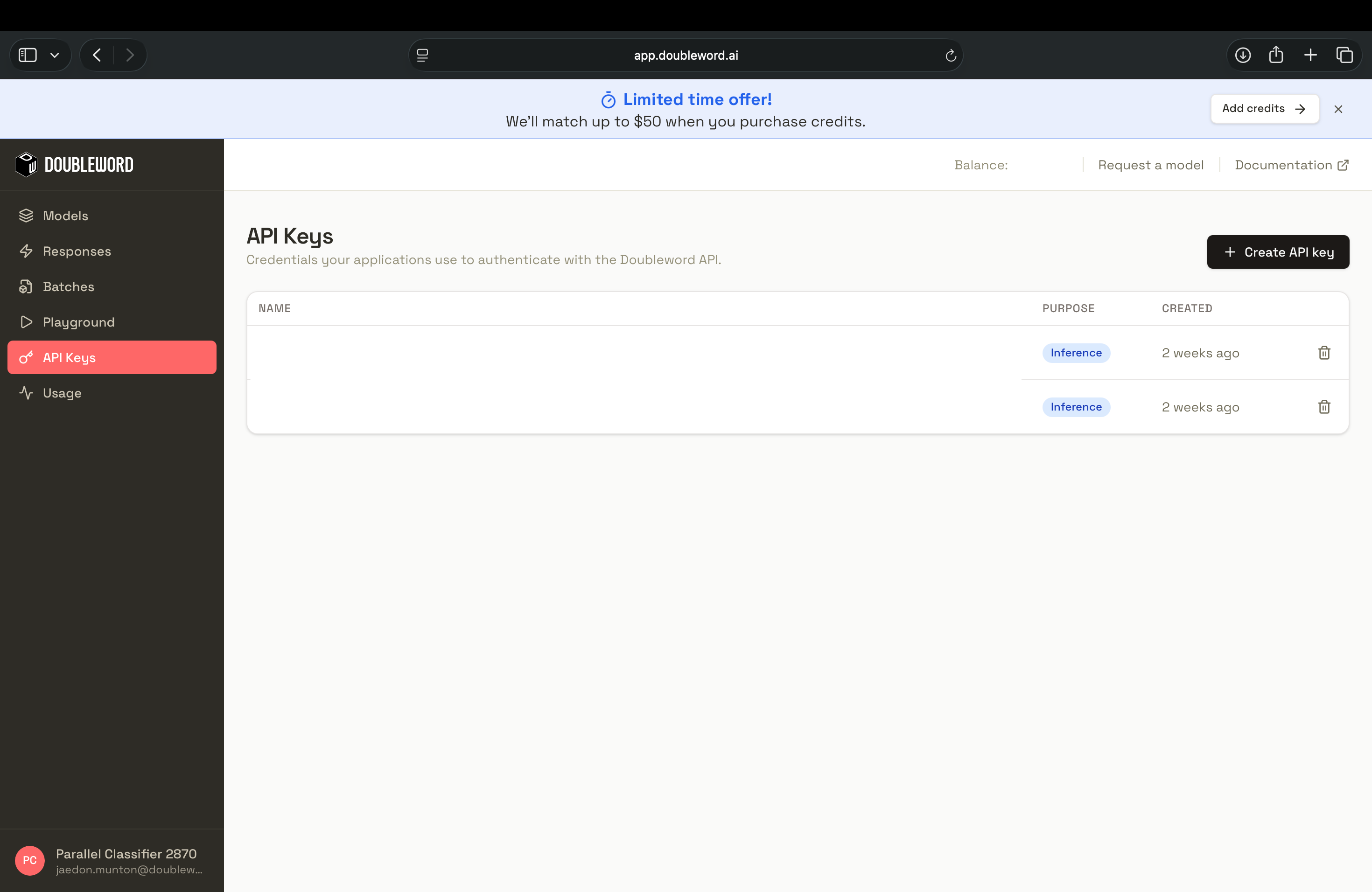
Sign in to the Doubleword Console, create a key under API Keys, and copy it, since it is only shown once.
export DOUBLEWORD_API_KEY="sk-..."1. Install Experiential and add Doubleword
Install Experiential, then tell it about Doubleword. Experiential saves the name of your environment variable, never the key itself, so the key stays on your machine. The version below is the one these steps were checked against.
pip install "experiential>=0.7.89"

exp config gateway init --root ./gateway --json
exp config gateway provider add doubleword \
  --provider openai-compatible \
  --base-url https://api.doubleword.ai/v1 \
  --credential-env DOUBLEWORD_API_KEY \
  --root ./gateway --non-interactive --json
2. Load every model on your key
Sign in to the dw CLI once with dw login. The block below reads your full Doubleword catalog and turns each model into a name you can call, granted to a default user. Paste the whole thing and run it. Each model starts at a price of zero, which is all Experiential needs to route it, and you can add real prices later.
The block creates one alias per model, skips any name an alias cannot take, and skips a name whose alias already exists, so you can re-run it as the catalog grows. To pin a specific deployment, create that alias by hand using the block at the end of this page.
exp config gateway identity create default --root ./gateway --non-interactive --json

SEEN=$(mktemp)

dw models list --output plain | while read -r model; do
  [ -z "$model" ] && continue
  case "$model" in *:*) continue;; esac
  alias=$(basename "$model" | tr 'A-Z' 'a-z')
  grep -qxF "$alias" "$SEEN" && continue
  echo "$alias" >> "$SEEN"
  exp config gateway alias create "$alias" \
    --deployment "doubleword:$model" --exact-model "$alias" \
    --supports-tools --supports-structured-output \
    --input-price 0 --output-price 0 \
    --pricing-source https://docs.doubleword.ai/inference-api/models \
    --root ./gateway --non-interactive --json
  exp config gateway grant add default "$alias" --root ./gateway --non-interactive --json
done

rm -f "$SEEN"
That is your whole catalog, ready to serve.
3. Issue a key and serve
Create a key for callers, then start the gateway. The first command prints an exp_vk_... secret, which is the key your callers use.
exp config gateway key issue default --key-id key-one --root ./gateway --json
exp --root ./gateway
✓ Gateway ready http://127.0.0.1:8000/v14. Make a call
Send a request with your new key and any model name from the catalog. Experiential passes it to Doubleword and hands back the answer.
export EXP_KEY=exp_vk_...
curl http://127.0.0.1:8000/v1/chat/completions \
  -H "Authorization: Bearer $EXP_KEY" \
  -H 'Content-Type: application/json' \
  -d '{"model":"kimi-k3","messages":[{"role":"user","content":"In one sentence, what is an AI model gateway?"}]}'
An AI model gateway is a middleware layer that sits between applications and AI models, providing a unified interface to route, secure, manage, and monitor requests across multiple models and providers.That request ran on Doubleword, with Experiential holding the keys and the access rules.
Add prices (optional)
Models route at zero price, so Experiential's cost reports stay empty until you add real ones. Prices are in nano-USD per million tokens, so $2.15 per million is 2150000000. Doubleword publishes the input, cached input, and output price for every model on the model list. Add them when you create a model, or update one that is already running.
exp config gateway alias update kimi-k3 \
  --deployment doubleword:moonshotai/kimi-k3 --exact-model kimi-k3 \
  --supports-tools --supports-structured-output \
  --input-price 2150000000 --cached-input-price 215000000 --output-price 11250000000 \
  --pricing-source https://docs.doubleword.ai/inference-api/models \
  --root ./gateway --non-interactive --json
See what you are using
Every request to Doubleword shows up on the usage dashboard, split by model with request and token counts. For a quick look from the terminal, run dw usage.
Add one model at a time
Prefer to add models by hand? Create the alias directly and grant it.
exp config gateway alias create kimi-k3 \
  --deployment doubleword:moonshotai/kimi-k3 --exact-model kimi-k3 \
  --supports-tools --supports-structured-output \
  --input-price 0 --output-price 0 \
  --pricing-source https://docs.doubleword.ai/inference-api/models \
  --root ./gateway --non-interactive --json
exp config gateway grant add default kimi-k3 --root ./gateway --non-interactive --json
Running exp on its own walks you through the same setup with prompts.
Run background work on the async tier
Doubleword serves the same models on a cheaper async tier for work that can wait. Add service_tier to the request and Experiential passes it through to Doubleword.
curl http://127.0.0.1:8000/v1/chat/completions \
  -H "Authorization: Bearer $EXP_KEY" \
  -H 'Content-Type: application/json' \
  -d '{"model":"kimi-k3","service_tier":"flex","messages":[{"role":"user","content":"Summarise the release notes."}]}'
Keep realtime for interactive work, and switch to flex for background jobs where a slower answer buys a lower rate. The response body does not report which tier served the request, so check the usage dashboard to confirm. Batch runs through the dw CLI and is not wired through Experiential yet.
Next steps
- Keep the catalog fresh. Doubleword adds models often, so re-run the load block to pick up new ones.
- Control access and spend. Use Experiential's users, grants, and budgets to decide who can reach Doubleword and how much they can spend.
- Move background work off realtime. Send jobs that can wait to the async tier with
service_tier: "flex".
Grab a Doubleword API key, point your Experiential gateway at it, and visit experientiallabs.ai to see the rest of the gateway.