

Factory
Factory's Droid is a coding agent that runs in your terminal and in the Factory desktop app. You give it a task, and it reads your repository, runs commands, edits files and iterates until the work is done. A session like that sends a lot of context to the model on every step, so the model behind Droid shapes both the quality of the result and the cost of a long session.
Droid supports custom models through your own API endpoint, and Doubleword serves open coding models such as Kimi K3, GLM-5.3 and DeepSeek V4.1 Flash. You add Doubleword once to Droid's settings file and the models appear in its model picker next to the built-ins. Doubleword bills the inference directly, so it does not use Factory credits.
You need Droid installed and a Doubleword account.
1. Generate a Doubleword API key
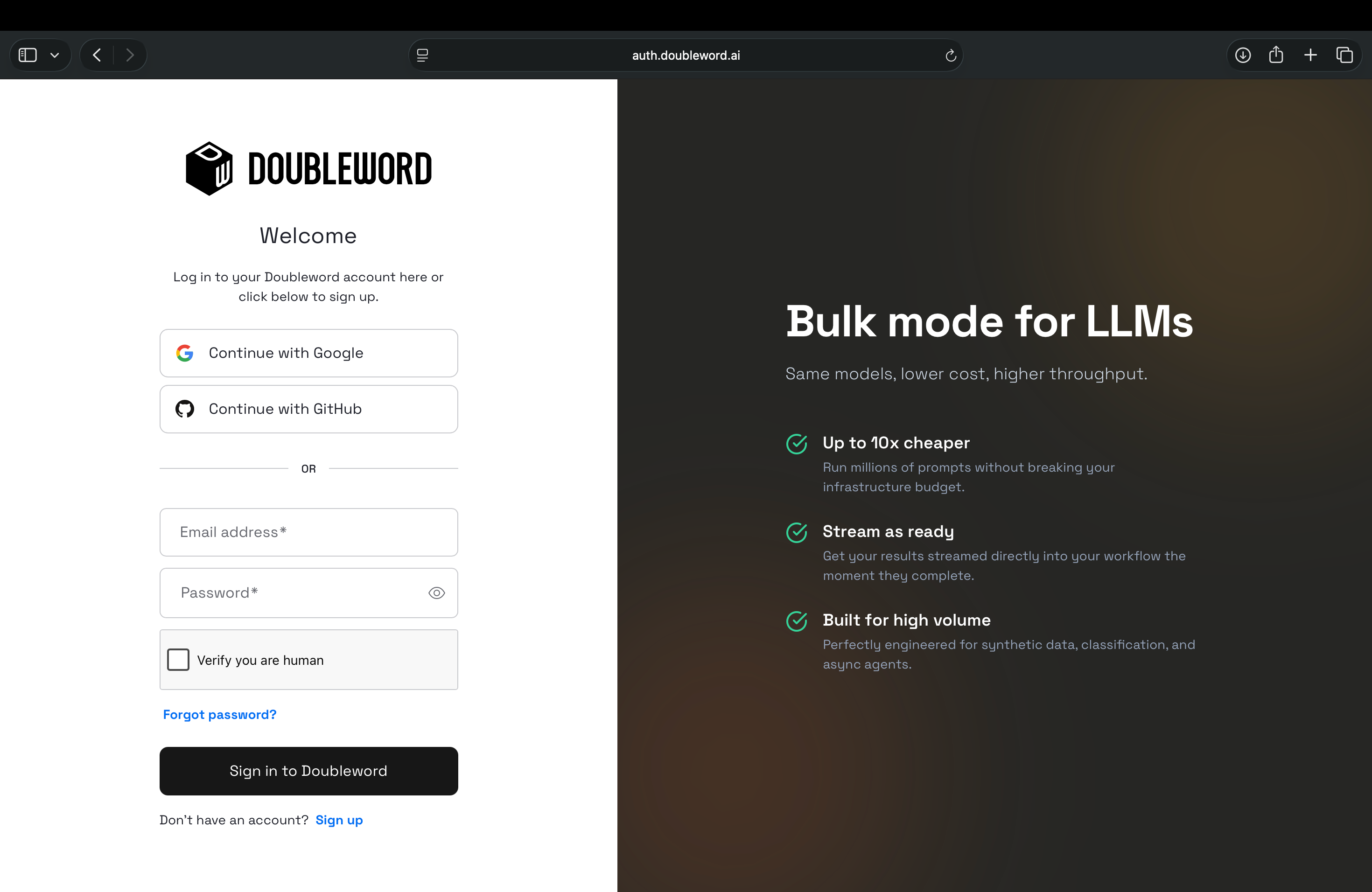
Sign in to the Doubleword Console, create a key under API Keys, and copy it, since it is only shown once.
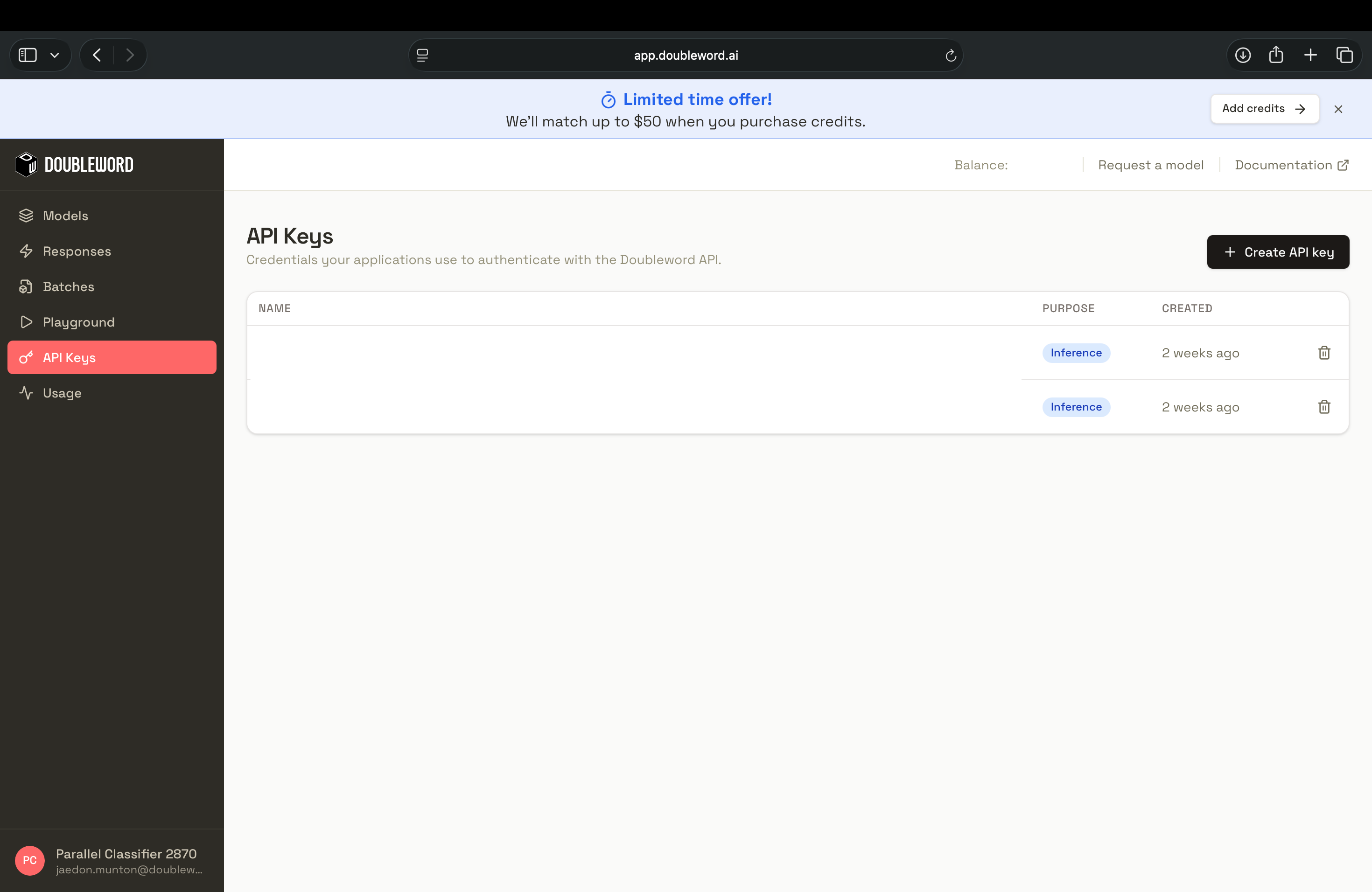
Then make the key available to Droid as an environment variable. Add this line to your shell profile (for example ~/.zshrc) and open a new terminal:
export DOUBLEWORD_API_KEY="your_api_key_here"Droid reads the variable when it loads your settings, so the key never has to be written into the settings file.
2. Add Doubleword to Droid's settings
Droid reads custom models from ~/.factory/settings.json, and both the CLI and the desktop app use the same file. If the file does not exist yet, create it. If it already has other settings, add the customModels entries to what is there.
{
  "customModels": [
    {
      "model": "moonshotai/kimi-k3",
      "displayName": "Kimi K3 [Doubleword]",
      "baseUrl": "https://api.doubleword.ai/v1",
      "apiKey": "${DOUBLEWORD_API_KEY}",
      "provider": "generic-chat-completion-api",
      "maxOutputTokens": 16384
    },
    {
      "model": "zai-org/GLM-5.3",
      "displayName": "GLM-5.3 [Doubleword]",
      "baseUrl": "https://api.doubleword.ai/v1",
      "apiKey": "${DOUBLEWORD_API_KEY}",
      "provider": "generic-chat-completion-api",
      "maxOutputTokens": 16384
    },
    {
      "model": "deepseek-ai/DeepSeek-V4.1-Flash",
      "displayName": "DeepSeek V4.1 Flash [Doubleword]",
      "baseUrl": "https://api.doubleword.ai/v1",
      "apiKey": "${DOUBLEWORD_API_KEY}",
      "provider": "generic-chat-completion-api",
      "maxOutputTokens": 16384
    }
  ]
}
The provider value generic-chat-completion-api tells Droid to use the OpenAI Chat Completions format, which is what Doubleword's /v1 endpoint speaks. The model value is the exact Doubleword model id, and displayName is the label you will see in the picker. Droid watches the settings file, so changes are picked up without a restart.
Droid does not fetch a model list from the endpoint, so you add each model by hand. To see the model ids currently available to your account, run dw models list with the dw CLI, or call the models endpoint directly:
curl https://api.doubleword.ai/v1/models -H "Authorization: Bearer $DOUBLEWORD_API_KEY"The three models above are good starting points for coding work. The models page has the full current catalog and pricing.
Add more models in the desktop app
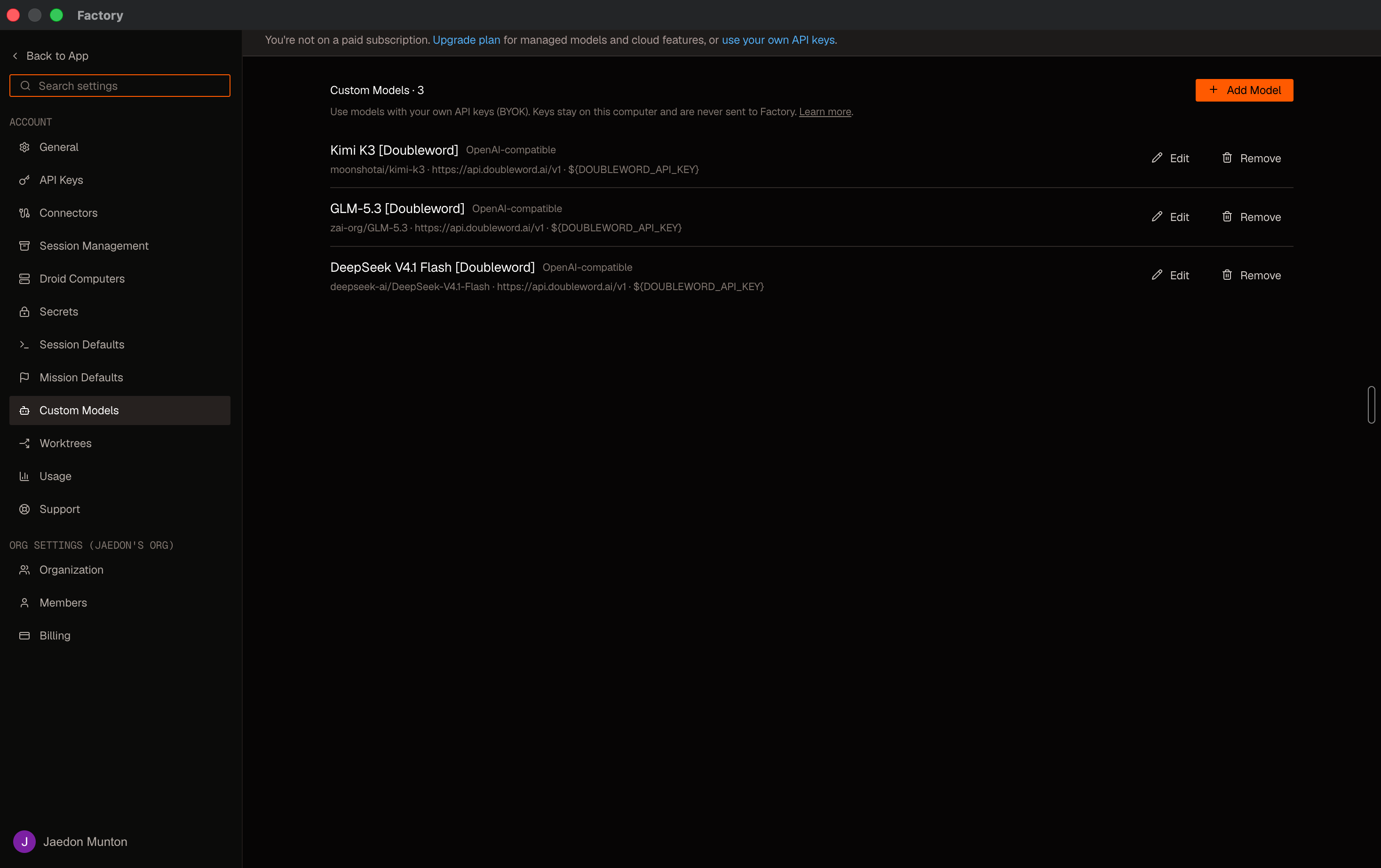
Once the entries above are saved, the desktop app lists them under Settings, Custom Models. The list shows each model's id, base URL and key reference, with Edit and Remove buttons.
To add another Doubleword model without editing the file, select Add Model. The form has a Form view and a JSON view. In the form, set the provider to Other provider, enter the model id and a display name, and paste your Doubleword API key. Under Advanced options, set the base URL to https://api.doubleword.ai/v1 and choose the API format. The settings file examples above use the OpenAI Chat Completions format, and the OpenAI Responses API format also works with Doubleword.
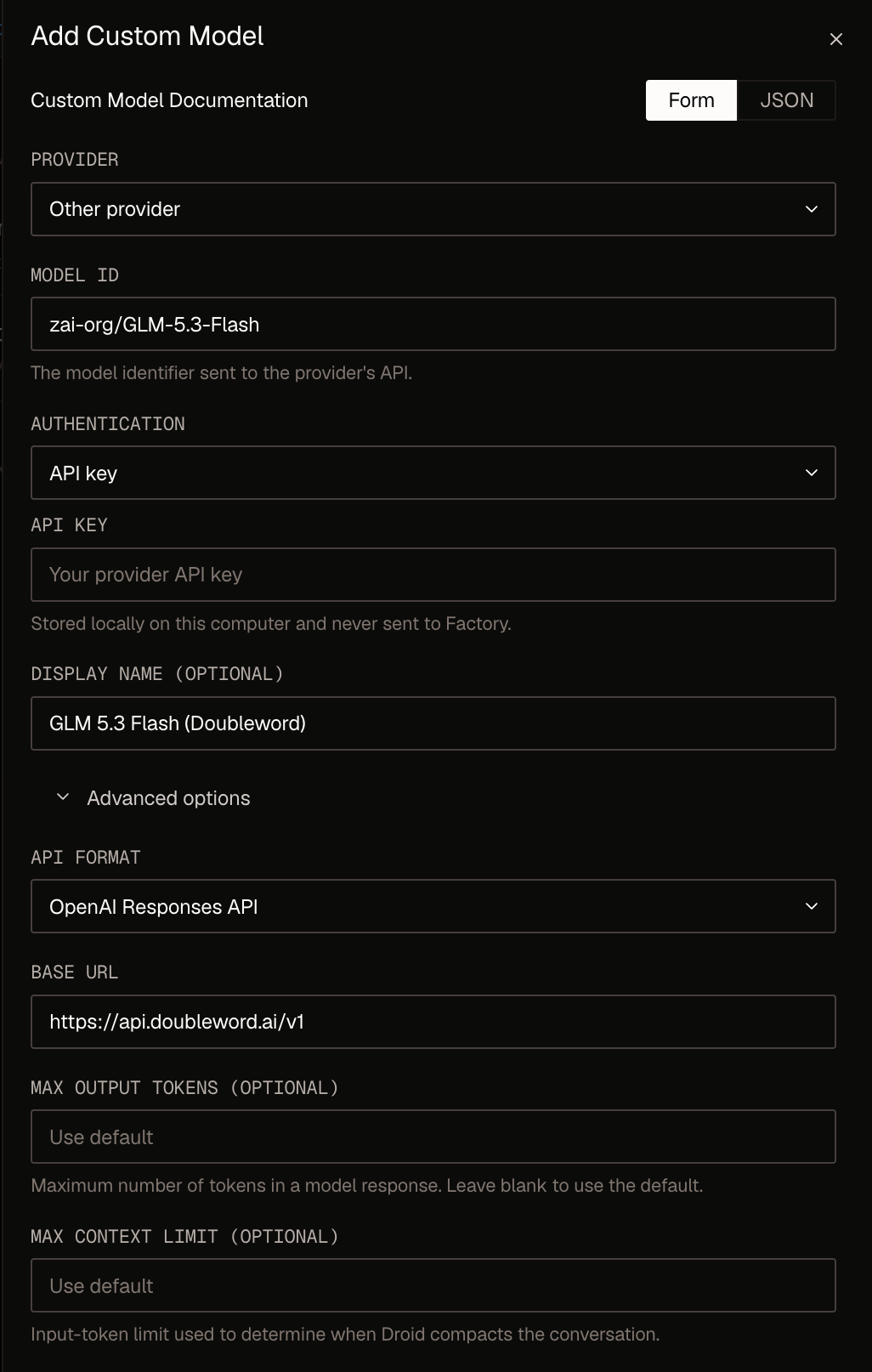
The form stores your key on your computer, so you can paste it there instead of using the DOUBLEWORD_API_KEY environment variable. A desktop app started from the Dock may not see variables from your shell profile, so use the pasted key if the ${DOUBLEWORD_API_KEY} entries show no models or return authentication errors.
3. Pick a model and verify
Start Droid in your project, type /model, and look for the Custom models section. Select Kimi K3 [Doubleword] or another entry that ends in [Doubleword]. Droid also has built-in models with similar names, such as Kimi K3 and GLM 5.3, and Factory bills those.
To check that tool calling works end to end, give it a real task on a codebase you know. A small refactor is a good first one, because Droid has to search the project, edit several files and run your tests:
Replace the deprecated
old_loghelper with the newlog()helper everywhere in this project. The newlog()takes the level first, then the message. Run the tests after your changes and stop if anything breaks.
You could swap in a helper that your own project is retiring instead. Droid finds every call, including aliased imports and calls that pass the level positionally, rewrites them, runs the tests and reports what it changed. Review the diff as you would for any other change.
You can confirm the requests reached Doubleword by running dw usage, or by checking usage in the Doubleword Console. If you run Droid headlessly with droid exec -o json, the usage block also reports factory_credits as 0, which confirms nothing is billed to Factory.
Choose a reasoning effort
Droid sends the extraArgs you set on a model along with each request, so you can register the same Doubleword model more than once with different reasoning effort and pick the one you want from /model. Add entries like these to customModels:
{
  "model": "zai-org/GLM-5.3",
  "displayName": "GLM-5.3 low effort [Doubleword]",
  "baseUrl": "https://api.doubleword.ai/v1",
  "apiKey": "${DOUBLEWORD_API_KEY}",
  "provider": "generic-chat-completion-api",
  "maxOutputTokens": 16384,
  "extraArgs": { "reasoning_effort": "low" }
},
{
  "model": "zai-org/GLM-5.3",
  "displayName": "GLM-5.3 high effort [Doubleword]",
  "baseUrl": "https://api.doubleword.ai/v1",
  "apiKey": "${DOUBLEWORD_API_KEY}",
  "provider": "generic-chat-completion-api",
  "maxOutputTokens": 16384,
  "extraArgs": { "reasoning_effort": "high" }
}
Supported effort levels vary by model, and Doubleword returns a 400 error for a value it does not accept. The reasoning controls guide and each model's page list the levels.
Prompt caching
A Droid session resends a large, mostly unchanged context on every step, so it benefits from prompt caching. On the default setup above, Droid's usage output shows cached tokens on repeated steps, and Doubleword bills them at the cheaper cache-read rate. Run droid exec -o json for a single task and look at cache_read_input_tokens.
If you want explicit cache breakpoints, Doubleword's Anthropic-compatible endpoint also works with Droid. Use the Anthropic provider, send the key as a bearer token, and leave /v1 off the base URL:
{
  "model": "zai-org/GLM-5.3",
  "displayName": "GLM-5.3 (Anthropic API) [Doubleword]",
  "baseUrl": "https://api.doubleword.ai",
  "apiKey": "${DOUBLEWORD_API_KEY}",
  "provider": "anthropic",
  "authMode": "bearer",
  "maxOutputTokens": 16384
}
Doubleword also auto-caches a reused prefix from left to right by default, without any breakpoints. See the prompt caching guide for more on how caching works.
Good to know
Droid calls Doubleword's realtime tier, so you pay realtime rates for the agent's own model calls. If a long agent run hits a rate limit, retry or switch to another model from your list. Doubleword's cheaper async and batch tiers are not a setting you can switch on for the agent model itself. You can still use them for bulk work in the same session by installing the Doubleword skill, which teaches the agent to run async and batch jobs through the dw CLI.
npx skills add https://github.com/doublewordai/doubleword-skillFactory recommends models of about 30 billion parameters or more for agentic coding. Custom models also depend on your Factory organization's policy. If /model shows no custom models, ask your Factory admin whether custom models are allowed. Model lists do not refresh on their own, so check the models page for new releases and add them the same way.
Next steps
Browse the models page for more models and pricing, read how prompt caching lowers the cost of long agent sessions, and see Factory's custom models reference for the full list of settings. The other Doubleword integrations cover tools that can use the async and batch tiers.